CH1129860354
Version 10.0.6 (27.12.2025)
Currency calculator fix
Version 10.0.5 (29.05.2025)
Time calculator fix
Virtual key fix
Version 10.0.3 (12.10.2024)
Constants: use fixed values and operators assigned to the X and Y key to speed up calculations

Version 10.0.0 (10.08.2024)
New: Click and Calc, more information can be found here: How to install Microsoft Power Toys

New: PDF export for the entire typing strip, not just the visible area
New: Quick Access Icons
New: DPI Awarness, works well with 4K screens
New: Better Windows 11 support
New: Start minimized from command prompt
Bugfix: Currency calculator rates updates
Bugfix: Warning messages "invalid parameters"
Update: Impoved PDF export options
Update: Keyboard calculator key
Version 9.0.4 (Jan 17, 2021)
Bugfix: Amortization schedule - function updated
Version 9.0.3 (Jan 10, 2021)
Bugfix: Excel Export local decimals and separators
Bugfix: Keyboard shortcut translation texts
Version 9.0.2 (Jan 3rd, 2021)
Bugfix: Translations
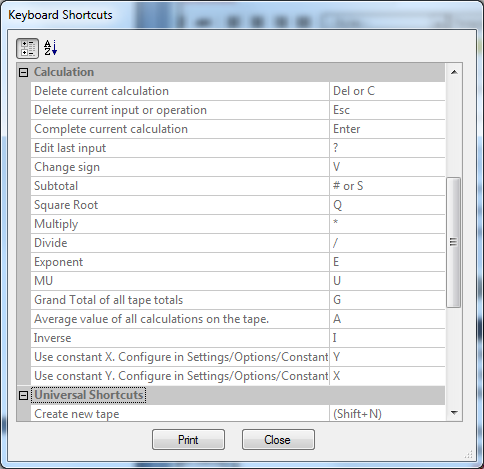
New: Shortcut for Docking on/off is CTRL+D
New: Select a voice from the available voices installed for the speech output
Version 9.0.1 (May 24, 2020)
Bugfix: Supports now calculations up to 1000 operations.
Version 9.0 (May 1st, 2020)
Version 8 was released in 2016, in the last 4 years 42 updates with feature enhancements and bug fixes were released. Now version 9 is released and will continue this tradition, regular continuous feature enhancements and thus the renunciation of large annual updates.
Version 9 therefore does not offer a lot of new features but some smaller useful changes. New features will be added little by little, as we have always done since 2001.
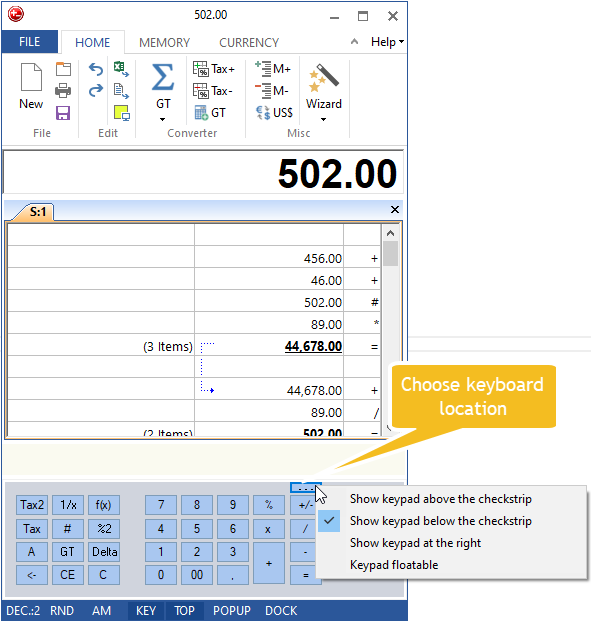
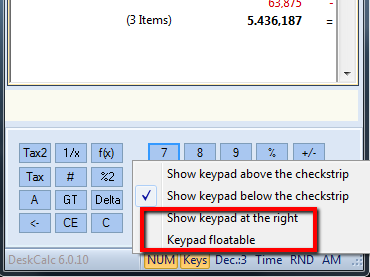
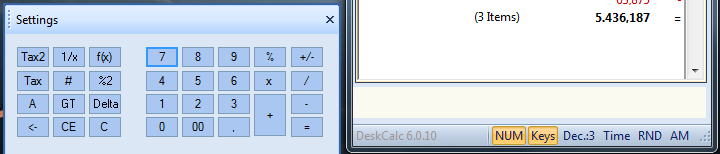
- Keypad location
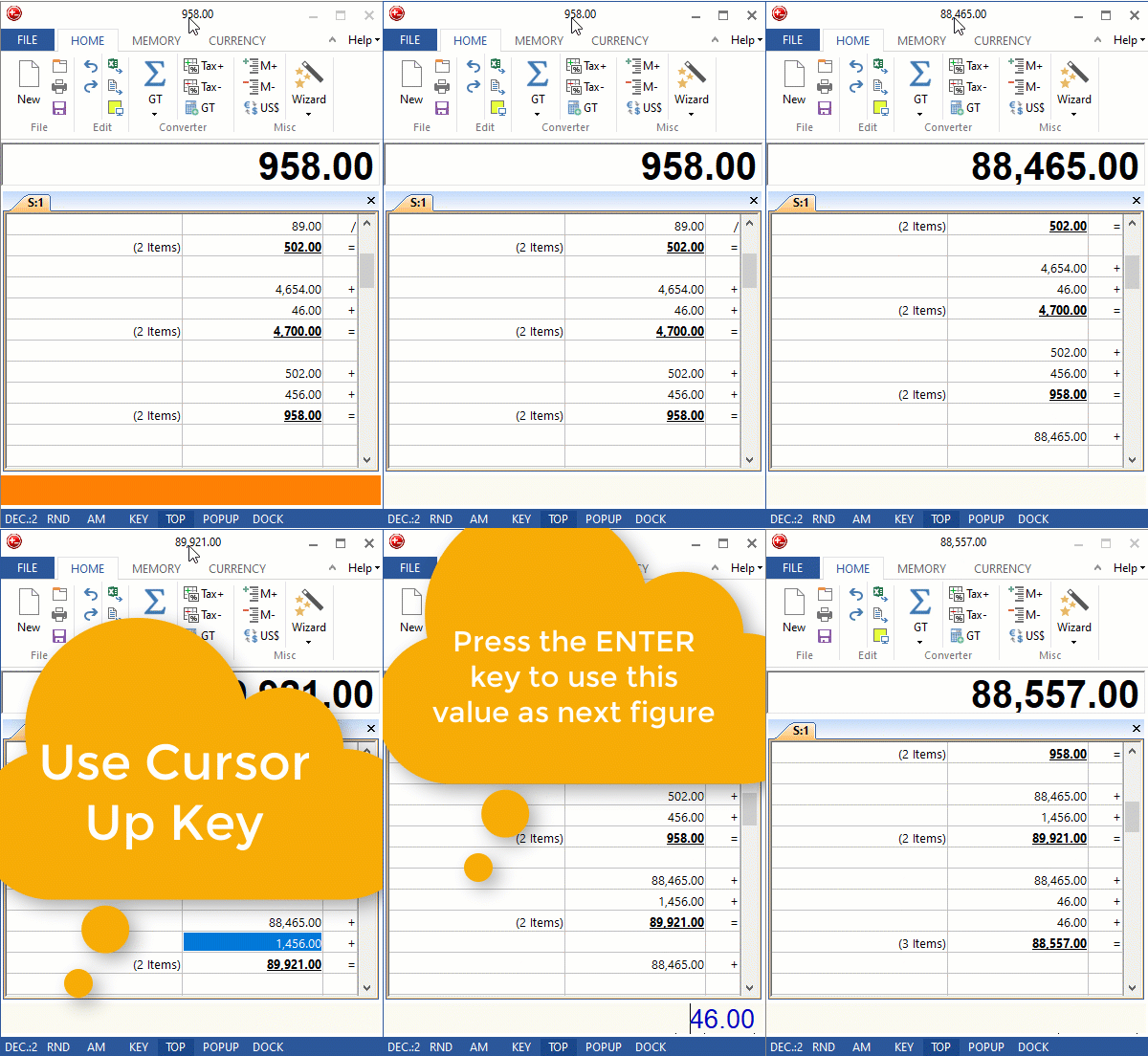
- Use arrow keys to get to previous elements in the tape -> then press the enter key to copy the tape-value to the input field
- The date on the graphic export follows the system setting
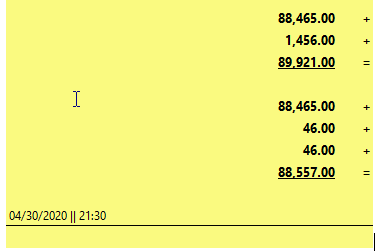
- Shortcut Show/Hide Keypad CTRL+Y and CTRL+Minus
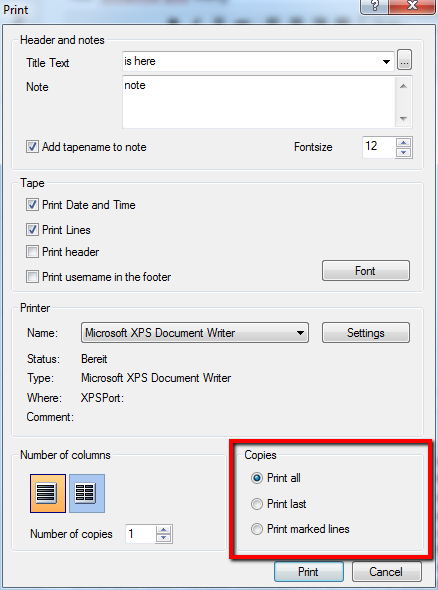
- Optimized print dialog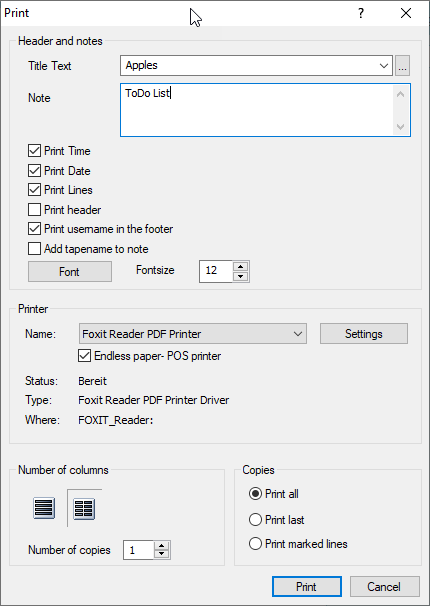
- Statistics, Shortcut = L
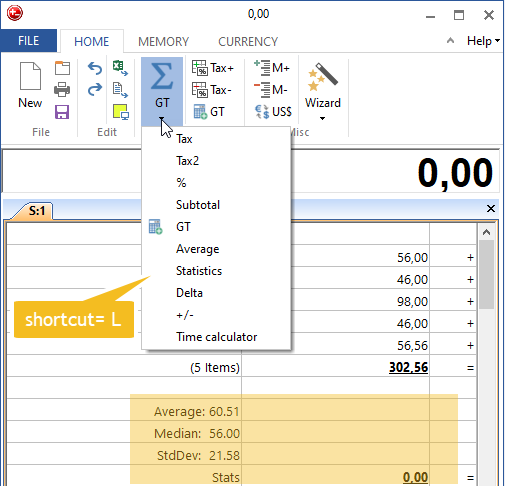
- Help link to website added
- Ribbon icons optimized
- Sysinfo with more logging information
- Tape drawing optimized
- Some minor bugfixes
Version 8.3.8 (19.10.2018)
- Keyboard calculator key does start/show Deskcalc, if option is preselected
Version 8.3.6 (07.09.2018)
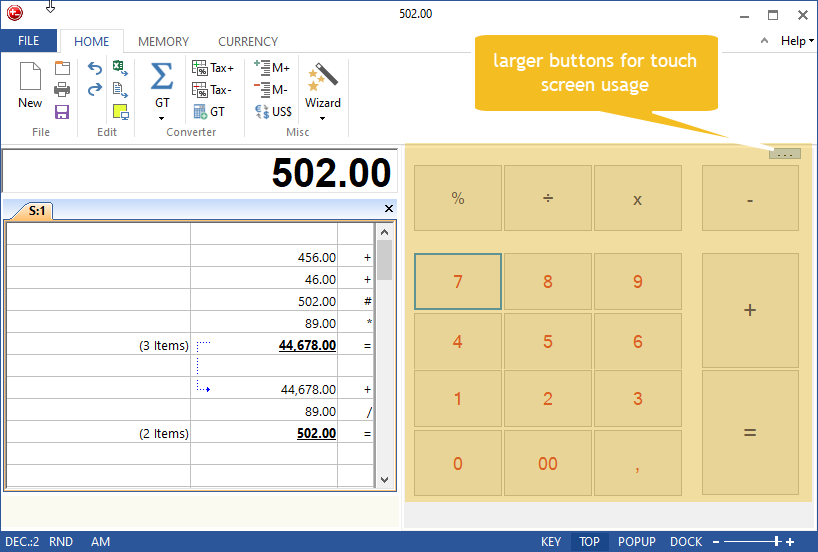
- Larger buttons for the full-screen mode
- Wizard functions fix for Windows 10
- Pacific currency rates fix
- Offscreen bugfix
- Docking now working on multi screen systems
Version 8.3.3 (24.03.2018)
- Two new docking modes:
+ Top
+ Bottom
Version 8.3.2 (06.02.2018)
- Printer: Pos Printer Mode
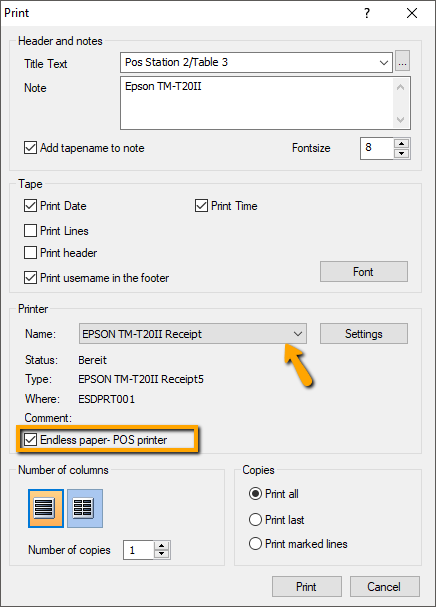
Version 8.3.1 (02.02.2018)
- Printer: Choose time or date
- Printer: Endless paper mode
- Printer: US date format MM/DD/YYYY
- Printer: 12h time format
- AM: 0 commas does no longer disable AM mode
- Currency: pacfic region currency converter source bugfix
Version 8.2.2 -> 8.2.8 (12.01.2018)
- Some minor bugfixes
Version 8.2.1 (26.01.2017)
- Add comments to the tape
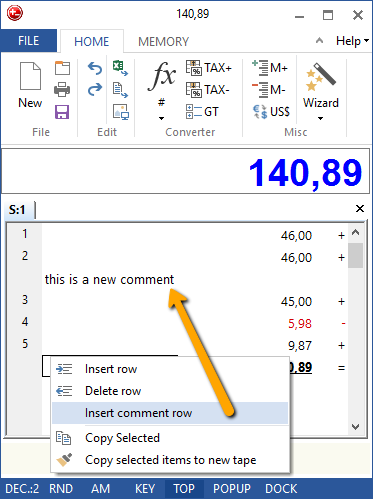
Version 8.1.10 (12.01.2017)
- Time calculator reenabled --> Functions\time calculator
Version 8.1.9 (Jan 2017)
- VirtualDirectory fix for Terminal Servers
Version 8.18 (28.11.2016)
- Ctrl+C - Copy to clipboard - Bugfix
Version 8.17 (31.10.2016)
- US/UK Keyboards generate a division instead of subtotal with #
Version 8.16 (26.10.2016)
- floating point / AM problem
- Currency download - Bugfix
Version 8.13 (25.08.2016)
- F3/F4 Fix for pocket calculator / windows calculator mode
Version 8.12 (17.08.2016)
- Korean language
- pocket calculator / windows calculator mode: calculation can be continued after result has been deleted
- Windows 7/10 Virtual-Directory Bugfix
Version 8.10 (17.05.2016)
- Subtotal Bugfix
Version 8.09 (05.05.2016)
- M1 und M2 for memory calculator - use two memory stacks in parallel

Version 8.08 (02.04.2016)
- Spanish language
- Show currency tab at all times
Version 8.07 (23.02.2016)
- Enable/Disable warning/information messages
Version 8.0.4
The main concern for version 8 was Windows 10 compatibility, the usability and user interface, only some new functions have been added.
User interface:
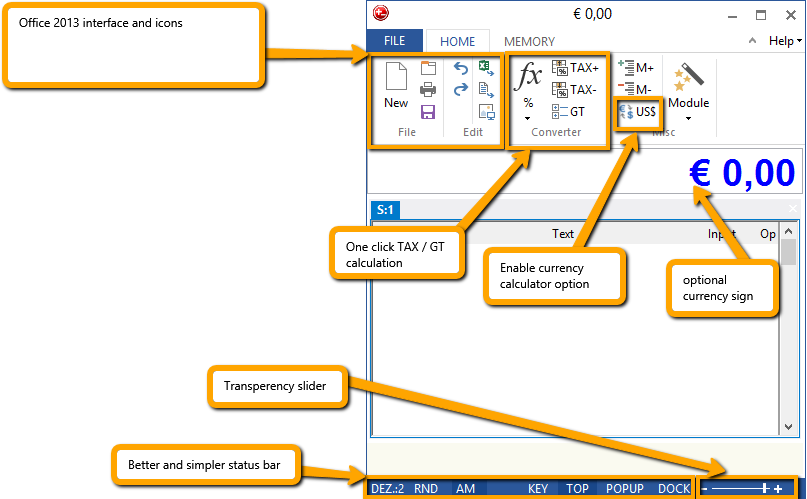
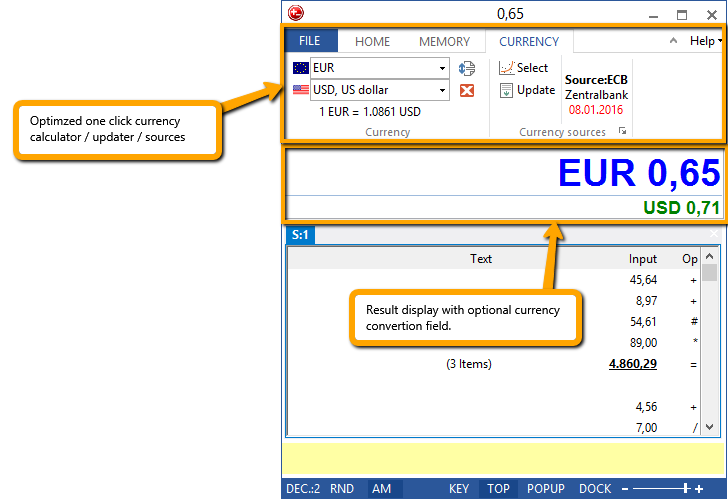
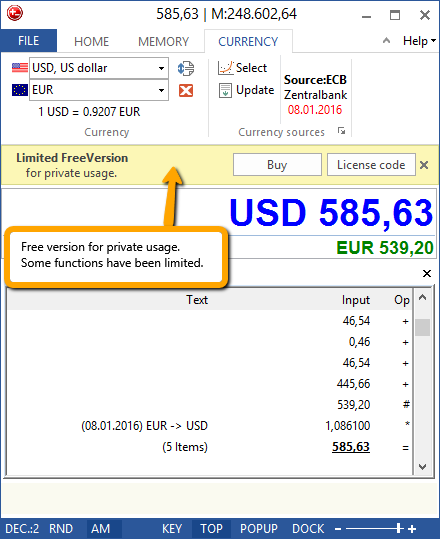
Currency Calculator:
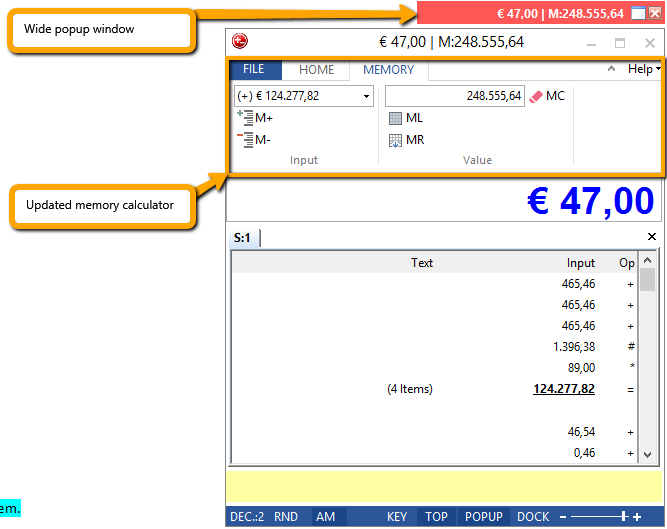
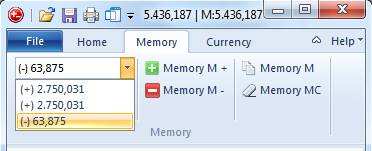
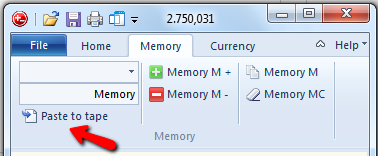
Memory Calculator:
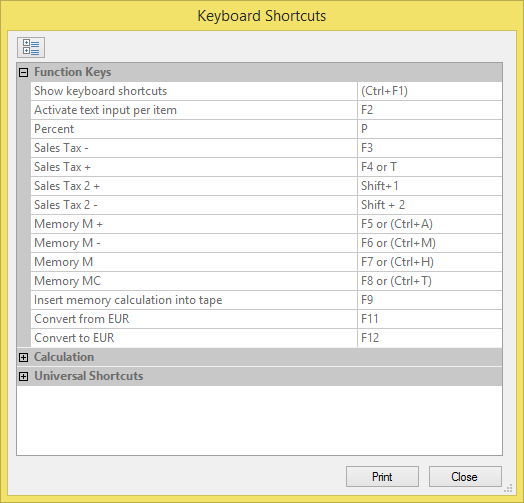
New shortcuts:
Free version:
Version 7.1.1
+ Postit:
- Choose your background and font color
- Show/hide date and time
- Export as metafile or bitmap
+Show/Hide currency sign in the total result
Version 7.0.8
We frequently release new minor versions with new features and bugfixes.
That implies, that we don't wait for major versions do add new features
-> major version don't necessary have a lot of new features at all.
But we happy to introduce v7 with some nice new features
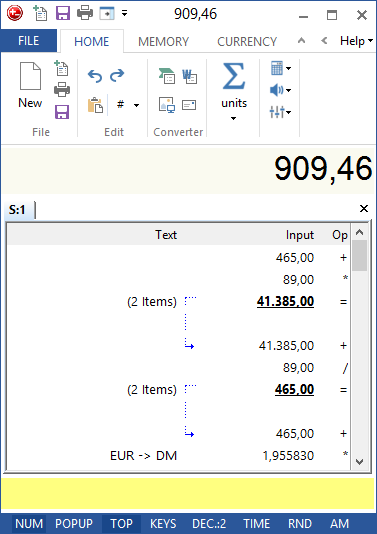
- Office 2013 GUI
- Windows 8/8.1 support
- Better 64bit support
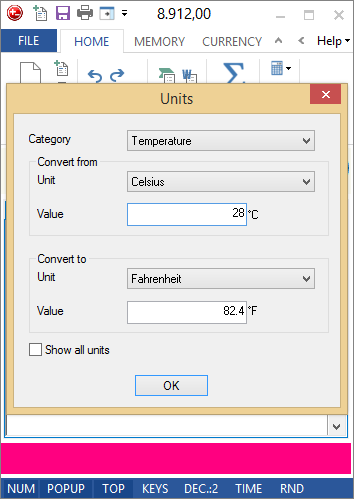
- Unit converter with temperature convertions
- Enhanced tape graphic export (PostIt) feature
- Minimzed DeskCalc window option
- PopUp window update
- Improved icons
- Some new keyboard shortcuts -> press Ctrl+F1 to check them out
- Select your own color for the input edit field, when DeskCalc is the active window - Bugfixes
Office 2013 GUI
Unit converter with temperature convertions
Enhanced tape graphic export (PostIt) feature
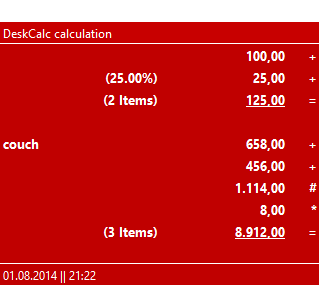
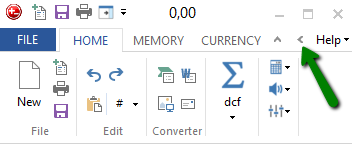
Minimzed DeskCalc window option

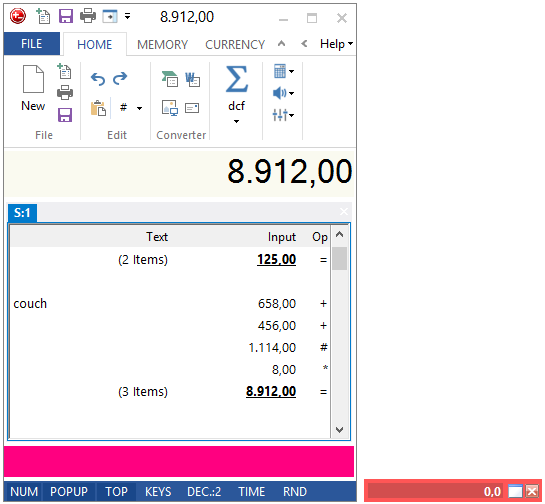
Optimized PopUp window
Version 6.0.24
Update: Hungarian language
Update: Improved numbers readback speed
For bookkeepers who desperately need each key press to be audibly repeated promptly with little or no delay, regardless or whether its a number or operator, select the following options for the audio read back:
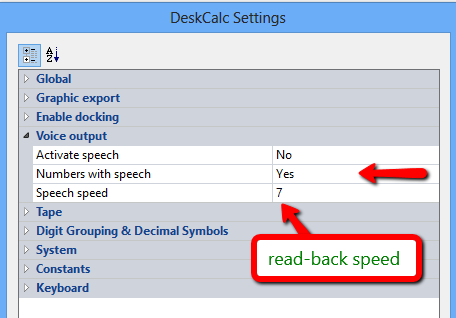
Activate speed: read back of expressions and operations ( set to no for no delay )
Numbers with speed: read back of every single keystroke
Speech speed: a number from 1 to 10, the higher the number the faster the readback
Version 6.0.23 ( April 2nd, 2013)
Bugfix: Deskcalc settings save issues with some Windows8 and Windows7 installations
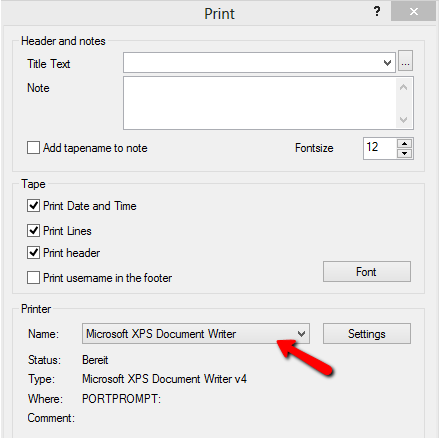
New: Print checkstrip (tape) without showing the printer settings dialog
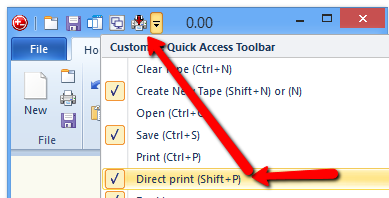
New: The printer settings remembers the last selected printer. That enables the direct print function.
Version 6.0.20 (January 6, 2013)
+ Serbian language
+ The "send checkstrip by email" function remembers sendTo email adress and subject
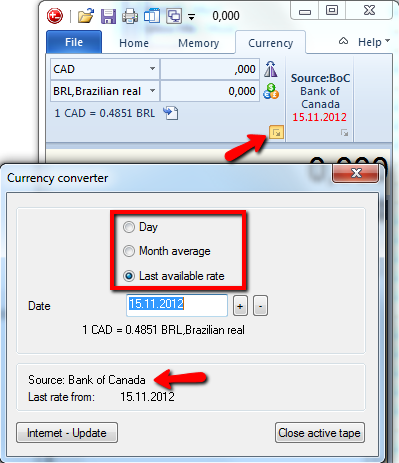
+ DeskCalc now supports Bank of Canada exchange rates as an alternative to the currently used European Central Bank rates.
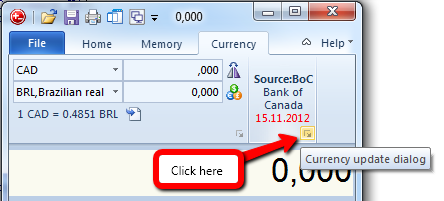
Here is how you can select your prefered exchange rates source:
1) Click the currency converter properties:
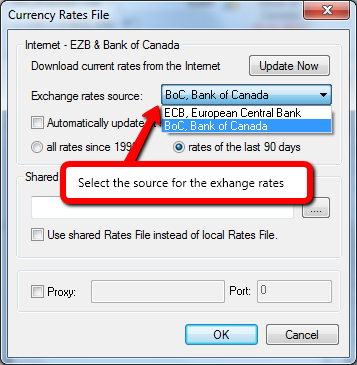
2) Choose the exchange rates source:
3) Choose the exchange rates daily rate - the last 5 days are available for BoC:
Version 6.0.17 (August 3, 2012)
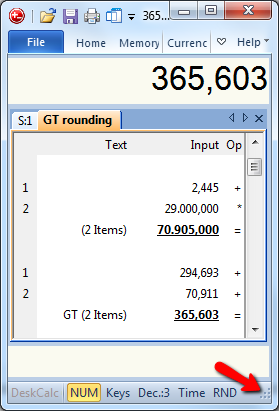
- Small calculator window for Windows with large system fonts, or with low desktop resolution
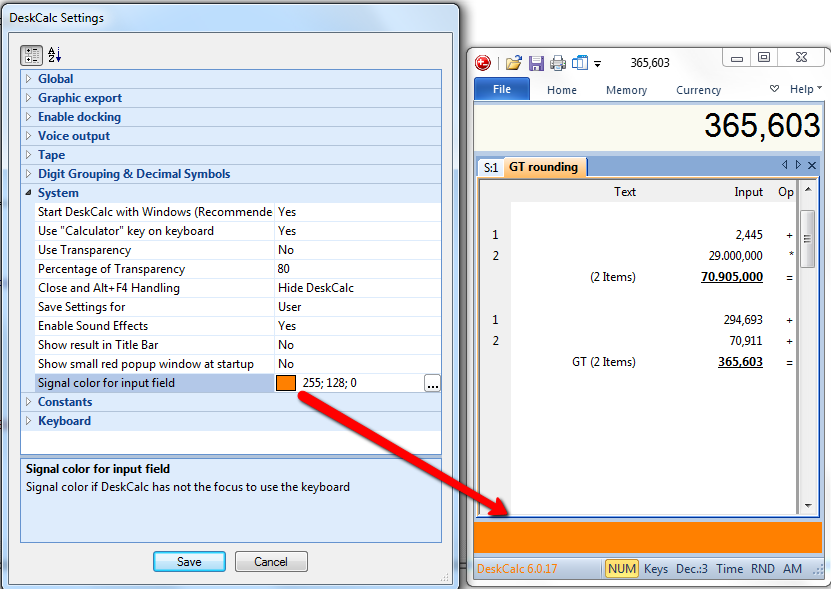
- Choose whatever color you like to see, if DeskCalc loses the keyboard input focus
Version 6.0.16 (July 22, 2012)
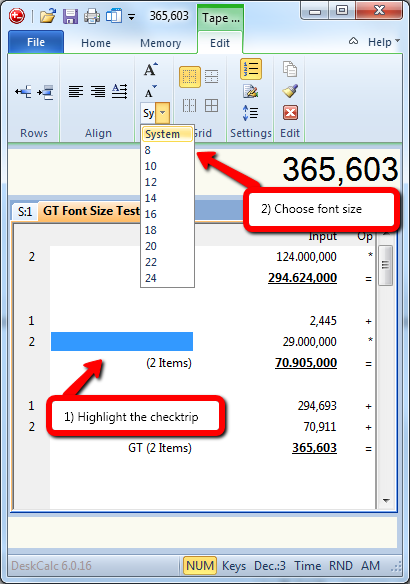
1) Ever larger screen resolutions make it necessary to have larger text in the calculation tape.
2) Kroation language updated for DeskCalc 6
Version 6.0.15 (March 28, 2012)
Table row hight to small for some systems, the text was not displayed properly
Version 6.0.14 (March 8, 2012)
+ Save checkstrip as bitmap file
+ Sales tax with up to 4 decimal places
+ Slovenian Language
Version 6.0.10 ( December 12, 2011 )
|
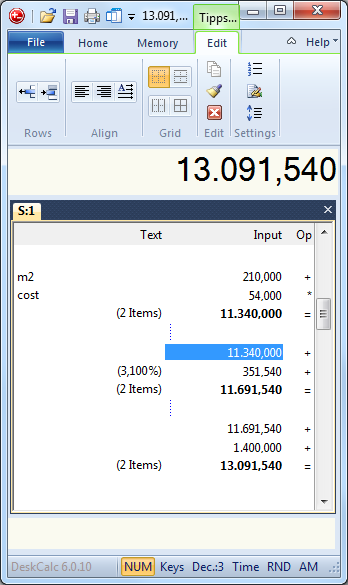
New tape edit ribbon tab
|
|
In previous DeskCalc versions all kind of tape settings like: had been hidden in various setting dialogs. But if you click the tape now, all these
|
 Â
Â
|
Docking DeskCalc to screen borders
|
|
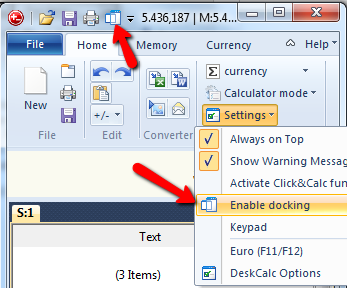
A nice new feature in Deskcalc 6 is the docking function. But what is docking: What are appbars (application desktop toolbars)? An appbar (application desktop toolbar) is a window similar to the Quick Launch bar, the Language Bar or the Windows Taskbar. It is anchored/docked to an edge of the screen, and it typically provides the user with quick access to various things like program shortcuts, favorite files, folders or URLs, information such as the local weather or sports news, or commonly used programs such as a clock, stopwatch or yourcalculator. Appbars are allocated their own area on the screen and the system prevents other applications from using that area. Using this Windows functionality DeskCalc is always visible and doesn't use space occupied by other applications on the desktop. Choose the screen border for docking:
Enable docking:
|
 Â
|
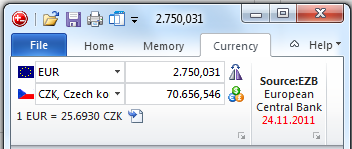
Fullscreen calculator mode
|
||||||||||
|
In earlier Desk versions it wasn't possible to to adjust the width of the dialog. 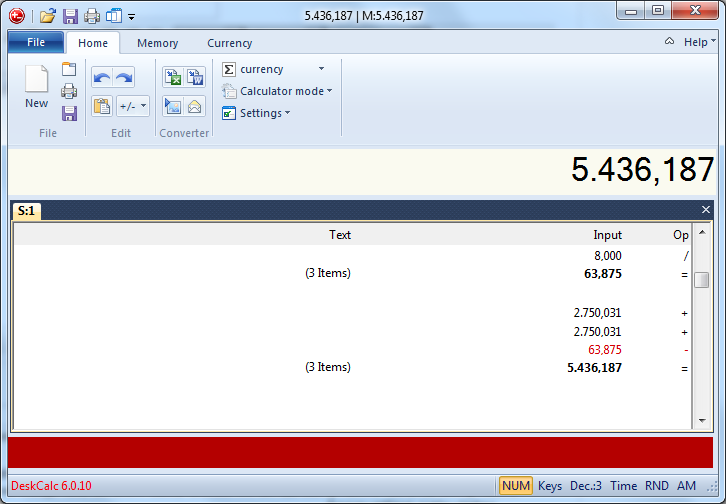
|

 Â
 Â
 Â
Version 5.2.9 (July 24, 2011)
Bugfix: Grand Total Rounding
Bugfix: Time Calculator Rounding
Bugfix: Keypad below/above the tape -> right mouseclick in the keypad
Bugfix: Grouping decimals in expression calculator
Bugfix: Expression calculator now allows decimal figures without a leading 0 i.e .23+4.56
Update: Hungarian language
Update: Keypad: problems with 125% and 150% large fonts
Update: Keypad: rearranged buttons
Version 5.2.10 (July 30, 2011)
Update: Hungarian language
New: Â Â 11 new business and finance calculations
 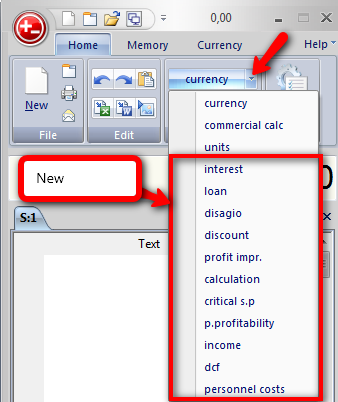
- interest rates calculator
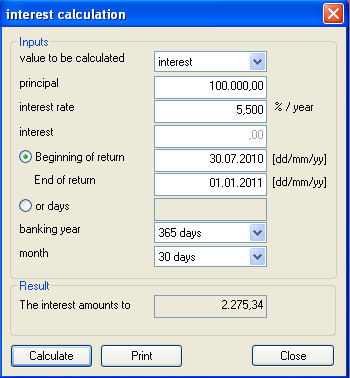
We will show you all the new calculators in the next weeks in our blog.Â
Version 5.2.9 (July 24, 2011)
Bugfix: Tooltips for buttons
New: Â Â NUMLOCK key as start key for DeskCalc
New: Â "N" key as shortcut for a new tab
Bugfix: Problems with Trend Micro firewall
Bugfix: Windows 7 access rights
Version 5.2.7 (May 13, 2011)
Update: Warning it write access problems with deskcalc4.ini -> the file where all the settings are stored
Update: Uninstall removes all DeskCalc registry entries
Bugfix:Â Decimal points display in the lower status bar hasn't been updated when changed by keyboard shortcuts like CTRL+3
New: Constants calculation

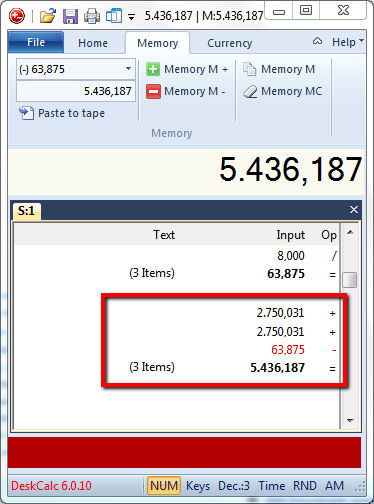
How does it work? Have a look at the above screenshot and imagine you like to multiply some numbers
with the same multiplier, lets say 2. You start with 2*2=
Now DeskCalc remembers this multiplyer and uses it next time you need it. Any time you enter a number
and press ENTER will result in a multiplication with 2. Have a look at the second calculation to
see how it works.
The same works for divisions and percentage calculations. The last operation overrides the last constant and
becomes the new constant. Here are some more examples:
 Input       Output
 2 * 2 =      4
 8=           16
 3=             6
-----------------------
 8 / 2 =      4
 16=          8
Version 5.2.6 (April 26th, 2011)Â
New: Proxy settings for currency updates
Update: All DeskCalc settings now stored in deskcalc4.ini per user only -> terminal server requirement
Update: License activation removed
Bugfix: Error 5 message by using the DeskCalc update search feature
Bugfix: Uninstall: DeskCalc desktop icon
Bugfix: "Copy selected items to new tape"
Â
Version 5.2.0 (February 23th, 2011)
Update: Copy and Paste from Excel, even if it includes currency symbols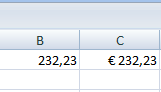
New: Copy selected values in to a new tape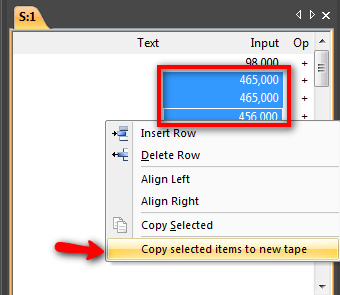
Â
Version 5.1.9 (February 1st, 2010)
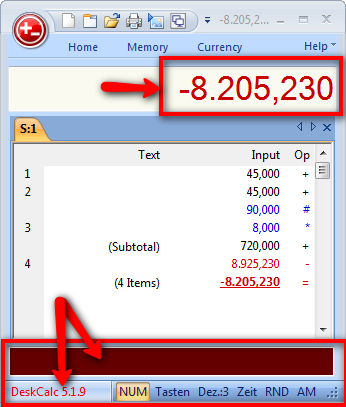
New:Â Red statusbar text, if Deskcalc is not the active window
New: Negative values are shown red in the result field
Bugfix: Message during setup for version 4 users
Bugfix: Toolbar - Texts for certain languages
Update: It is possible to transfer the tape title with the graphic image to the clipboard
Version 5.1.8 (7th January 2011)
Bugfix: Activation problems with users that had no write access to the installation folder
Bugfix: Option printing the tape name as an additional not
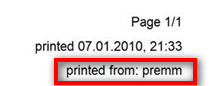
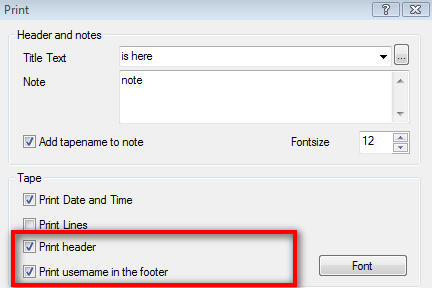
New: Printer: print Windows username
New: Printer: option to print/do not print header
Version 5.1.7 (19th December 2009)
New: Dutch language
Bugfix: Send tape as mail
Update: Horizontal scroller after applications start sometimes was not aligned.
Â
Version 5.1.2 (18th October 2009)
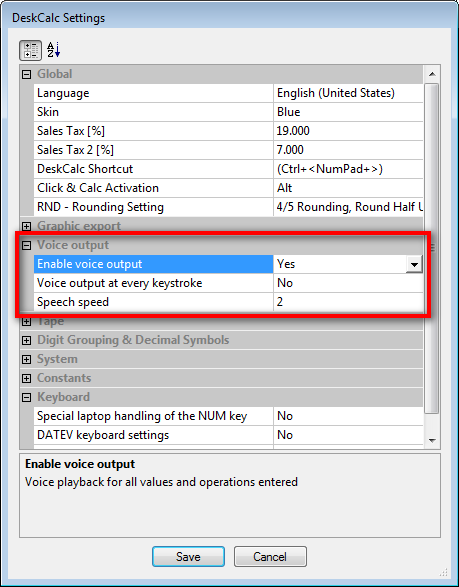
New: Voice output
Update: Remembers the toolbar icons
Update: Currency Converter
Update: Activation dialog
some smaller Bugfixes
Version 5.0.26 (25th August 2009)
French language update
Croatian language update
Bugfix: tape scrollbar horizontal alignment
Update: Show buttons now makes sure, that DeskCalc doesn't grow beyond the bottom screen border
Â
Version 5.0.25 (9th August 2009)
Problem of some users that the calculator doesn't show up after registration
Large font support (120dpi)
Remembers the ribbon toolbar hide option
smaller bugfixes
Version 5.0.24 (23th July 2009)
Gross margin calculation bugfix
Activation window translation
Setup for one user, all users
smaller bugfixes
Version 5.0.22
Office 2007 interface
Time calculation in the checkstrip
Unit 1000+ converterÂ
Checkstrip with running position counter in the checkstrip
Currency converter in the Office 2007 toolbar
Currency rates date shown in the text column of the checkstripÂ
Small popup window with the actual result and other information always ontop of all windows
Improved Excel Export
Improved PostIt ExportÂ
Improved printing ( free adjustable page size etc. )
With/Without keypad
Grand total and average value
Software as a service licensing
Many other small enhancements