Version 6.0.23 ( April 2nd, 2013)
Bugfix: Deskcalc settings save issues with some Windows8 and Windows7 installations
New: Print checkstrip (tape) without showing the printer settings dialog
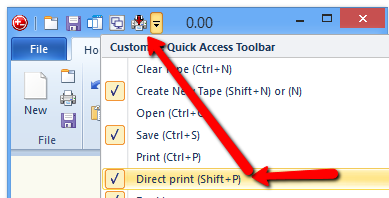
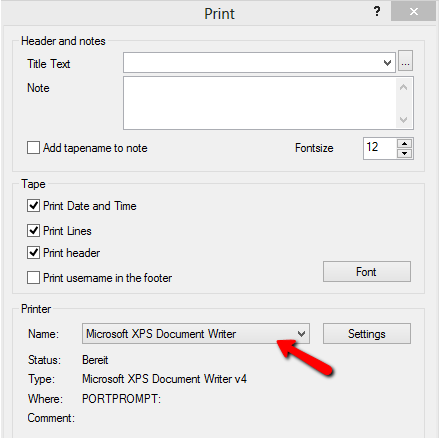
New: The printer settings remembers the last selected printer. That enables the direct print function.
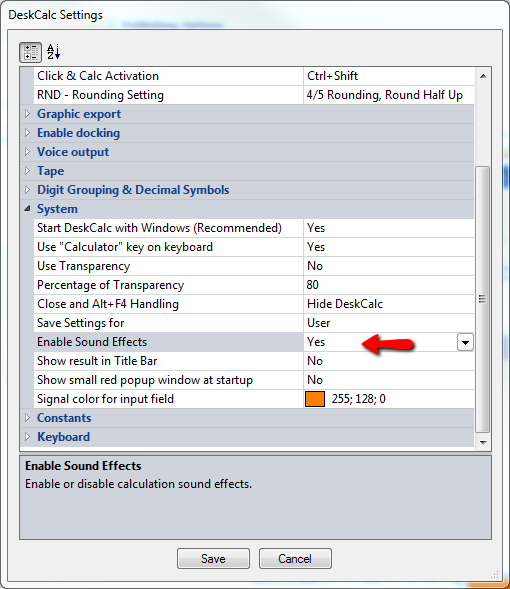
DeskCalc comes with optional key sound effects. Open the settings window and enable "Enable Sound Effects"
But DeskCalc has one more interesting new feature: it can speak.This has large benefit if you are used to crunch your numbers while reading your notes etc. - you will hear the numbers while typing them.
New Version 6.0.19
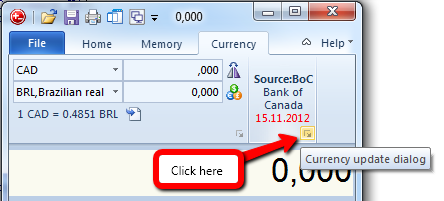
DeskCalc now supports Bank of Canada exchange rates as an alternative to the currently used European Central Bank rates. Here is how you can select your prefered exchange rates source:
1) Click the currency converter properties:
Read more: Bank of Canada currency rates for the DeskCalc currency converter
Version 6.0.17
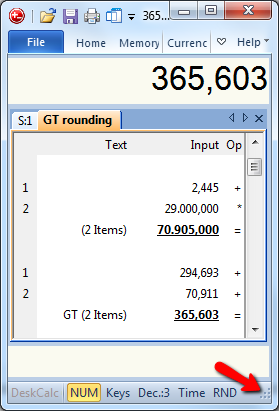
- Small calculator window for Windows with large system fonts, or with low desktop resolution
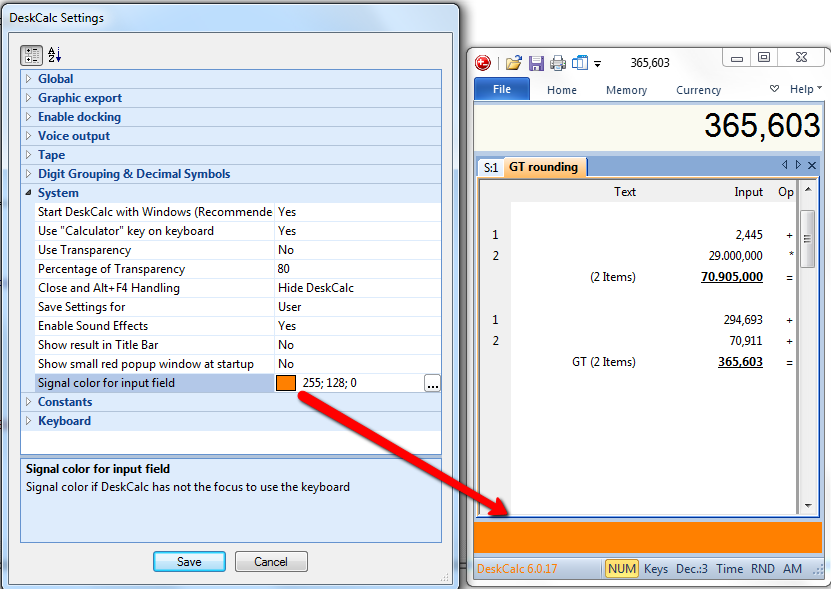
- Choose whatever color you like to see, if DeskCalc loses the keyboard input focus
New Version 6.0.16
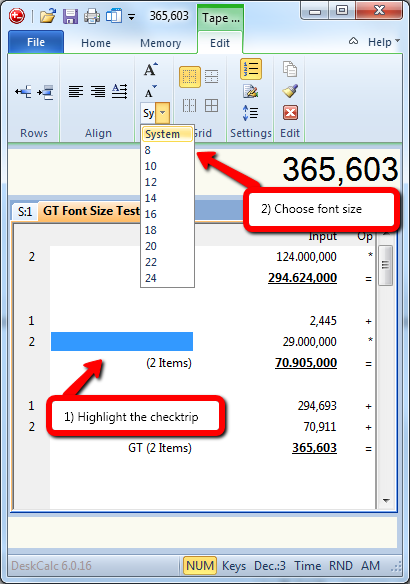
1) Ever larger screen resolutions make it necessary to have larger text in the calculation tape.
2) Kroation language updated for DeskCalc 6