DeskCalc is a versatile tool that can benefit a wide range of businesses. Here’s an analysis of different types of businesses that would gain the most from DeskCalc and the three most beneficial features for each:
1. Accounting Firms
Beneficial Features:
- Export to PDF, Excel, and Word: Accountants often need to prepare detailed financial reports. DeskCalc allows them to export calculation tapes directly to these formats, making it easy to incorporate calculations into formal financial documents.
- Tax Calculation: With built-in tax calculation functions, accountants can quickly apply and calculate tax amounts, ensuring accuracy and saving time on manual tax entries.
- Click and Calc (OCR Capture): Accountants often need to pull figures from various documents. This feature enables them to capture numbers from scanned documents, emails, or invoices, reducing data entry errors and speeding up the workflow.
1. Accountants
Position: Accountant, CPA, Financial Analyst
Beneficial Features:
- Export to PDF, Excel, and Word: Accountants frequently need to integrate calculations into financial statements, tax filings, or reports. Exporting directly to these formats allows for seamless inclusion of calculations into official documents.
- Tax Calculation: With complex tax codes and varying rates, having a built-in tax calculation feature ensures precision and efficiency, reducing manual errors in tax computations.
- Click and Calc (OCR Capture): Accountants often work with financial documents containing numbers that need to be recalculated. The OCR feature allows them to extract numbers directly from digital or scanned documents, speeding up data entry and reducing errors.
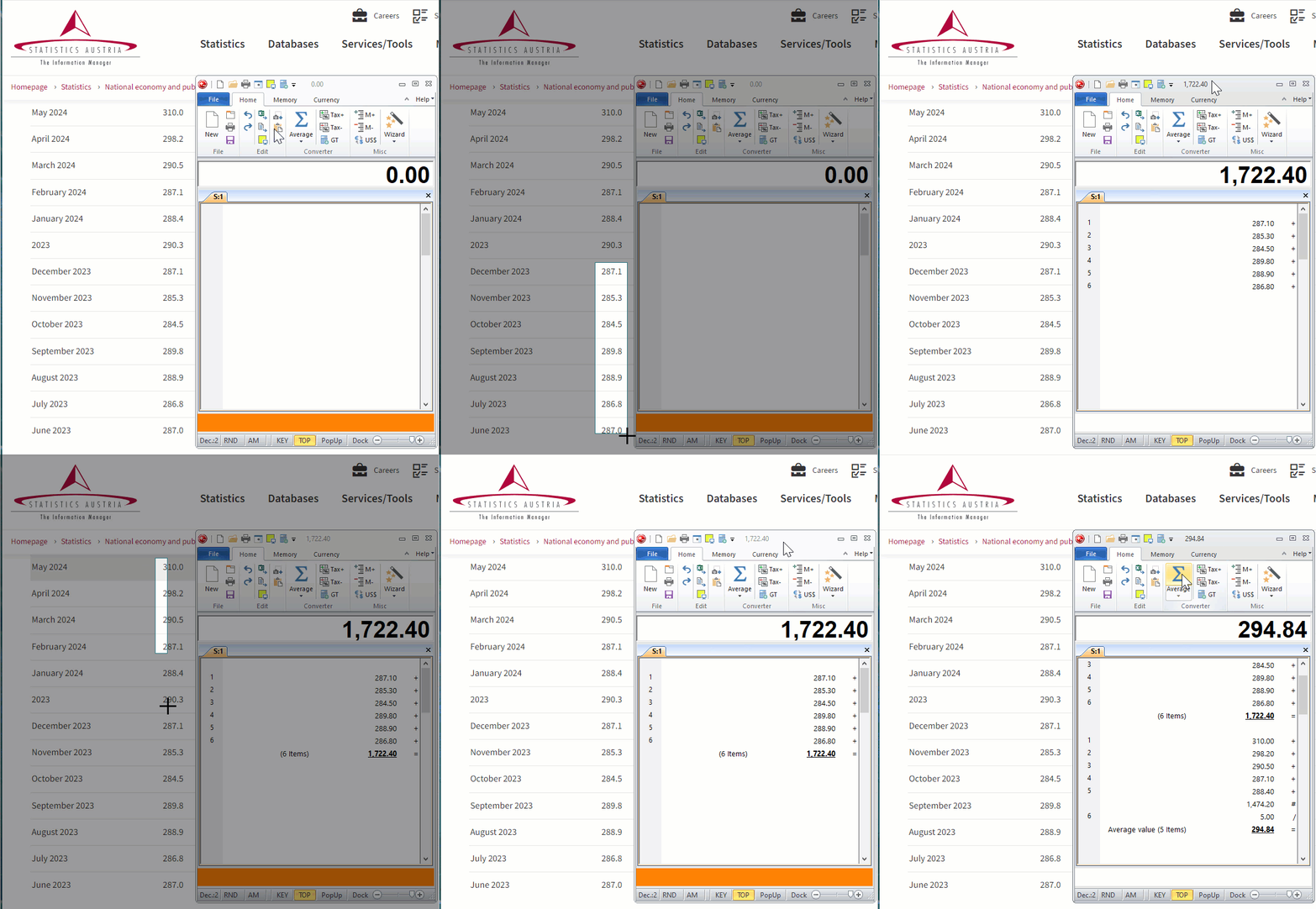
The new Click & Calc function makes calculating at PC workstations faster, easier and more convenient. In accounting, commercial departments, in the tax consulting professions or in the treasury of the tax authorities, it is part of everyday life to calculate with figures displayed on the screen. Now you no longer need to type these amounts for calculation functions from the screen, with the new Click & Calc function you can calculate with a simple mouse click. To add several numbers in a column, the area is selected and these amounts are added automatically.
DeskCalc can be used as a commercial calculator, as a pocket calculator with conventional input syntax or as a formula calculator. Regardless of the operating mode, the full range of functions is always available. The same special commercial input method is used, which is familiar from desktop or pocket calculators, without having to get used to it.
Click and Calc (OCR Capture): Accountants etc. often work with financial documents containing numbers that need to be recalculated. The OCR feature allows them to extract numbers directly from digital or scanned documents, speeding up data entry and reducing errors.
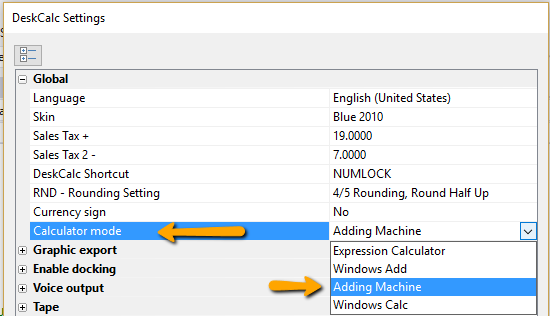
DeskCalc has four calculator modes.
- Adding machine ( Commercial Desktop calculator )
- Windows Calc
- Expression Calculator
- Windows Adding Machine
DeskCalc takes into consideration the different computing ways of conventional devices and thereby can be immediately used by all users without a reorientation
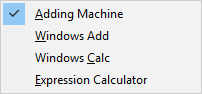
For the fast keyboard-supported change-over a context menu can be opened by selecting with (<).
DeskCalc has four calculator modes.
- Adding machine ( Commercial Desktop calculator )
- Windows Calc
- Expression Calculator
- Windows Adding Machine
DeskCalc takes into consideration the different computing ways of conventional devices and thereby can be immediately used by all users without a reorientation
For the fast keyboard-supported change-over a context menu can be opened by selecting with (<).