We frequently release new minor versions with new features and bugfixes.
That implies, that we don't wait for major versions do add new features
-> major version don't necessary have a lot of new features at all.
But we happy to introduce v7 with some nice new features
- Office 2013 GUI
- Windows 8/8.1 support
- Better 64bit support
- Unit converter with temperature convertions
- Enhanced tape graphic export (PostIt) feature
- Minimzed DeskCalc window option
- PopUp window update
- Improved icons
- Some new keyboard shortcuts -> press Ctrl+F1 to check them out
- Select your own color for the input edit field, when DeskCalc is the active window - Bugfixes
DeskCalc /hide ...... starts DeskCalc hidden
DeskCalc /fs ...... starts Deskcalc full screen
DeskCalc kill ...... does terminate a running DeskCalc session
DeskCalc /neu ...... does open a new tape in a running DeskCalc session
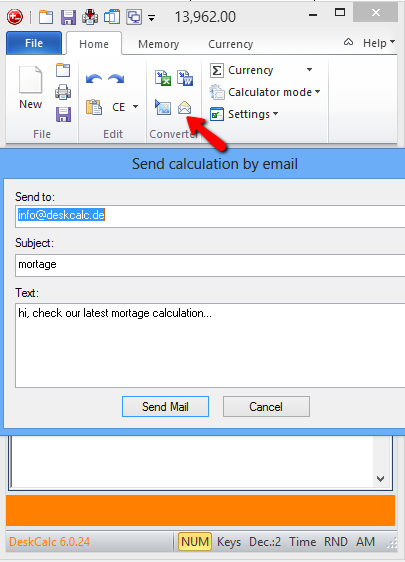
DeskCalc features a history tape that not only saves each calculated result, but the expression you used to get there as well. Send old values or expressions in your history back to the calculator for more number crunching or email them as plain text and vector graphic file for your document managment system.
Version 6.0.24
Update: Hungarian language
Update: Improved numbers readback speed
For bookkeepers who desperately need each key press to be audibly repeated promptly with little or no delay, regardless or whether its a number or operator, select the following options for the audio read back:
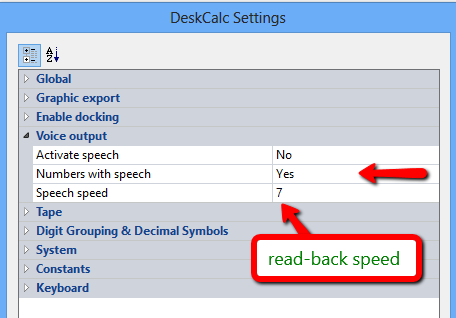
Activate speed: read back of expressions and operations ( set to no for no delay )
Numbers with speed: read back of every single keystroke
Speech speed: a number from 1 to 10, the higher the number the faster the readback
Version 6.0.23 ( April 2nd, 2013)
Bugfix: Deskcalc settings save issues with some Windows8 and Windows7 installations
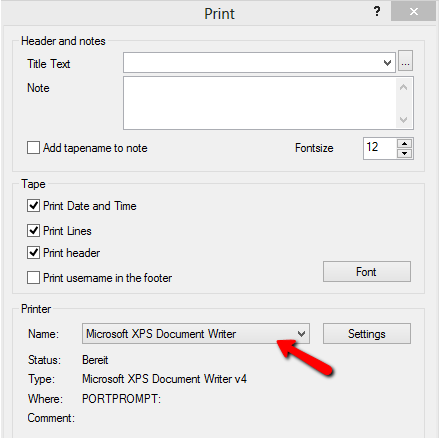
New: Print checkstrip (tape) without showing the printer settings dialog
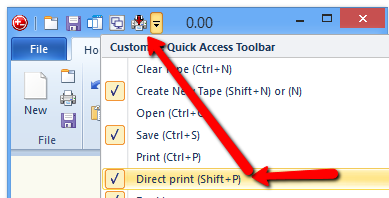
New: The printer settings remembers the last selected printer. That enables the direct print function.