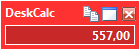
 Sometimes you need your calculator result always on top of all the other running applications, but the DeskCalc window might be to large on a crowded desktop. One solution is to this is the new, even smaller popup window.
Version 5.2.7 (March 13, 2010)
Update: Warning it write access problems with deskcalc4.ini -> settings file
Update: Uninstall removes all DeskCalc registry entries
Bugfix: Decimal points display in the lower status bar hasn't been updated by keyboard shortcuts

How does it work? Have a look at the above screenshot and imagine you like to multiply some numbers
with the same multiplier, lets say 2. You start with 2*2=
Now DeskCalc remembers this multiplyer and uses it next time you need it. Any time you enter a number
and press ENTER will result in a multiplication with 2. Have a look at the second calculation to
see how it works.
The same works for divisions and percentage calculations. The last operation overrides the last constant and becomes the new constant. Here are some more examples:
Input Output
2 * 2 = 4
8 = 16
3 = 6
-----------------------
8 / 2 = 4
16= 8
 Today I show you how to add and subtract sales tax with Deskcalc. Two setable tax rates are available.
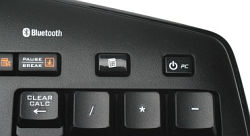 DeskCalc is able to utilize the calculator key on your keyboard. This is a huge benefit when using a Windows adding machine.
Read more: Most helpfull key on your Keyboard - the Calculator Key
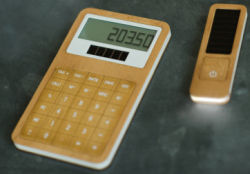 The world today is undergoing a green revolution of a different sort and with greater emphasis being placed on reducing ones carbon foot print and the use of Eco-friendly materials there have been a host of bamboo gadgets popping up in the market and just to add to that already long list comes this cool bamboo calculator.
But if you want to reduce your carbon foot print to ZERO when it comes to calculator, you should use a software calculator like DeskCalc.