At the moment DeskCalc is available in the following languages: German, Español, French, Korean, Chinese, English, Portuguese, Romanian, Italian and Kroatian. Read more on how to change the language settings and how to translate DeskCalc to a new language.
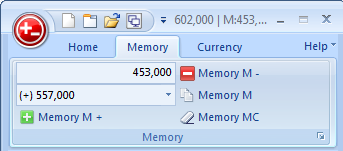
You can use DeskCalc's memory to:
- store an almost unlimited number of individual numbers.
- accumulate a total of several numbers.
- hold a list of numbers that are the results of (1) separate calculations or (2) the same calculation repeated several times using different numbers each time.

The lower toolbar includes some very important general settings including the decimal places. But lets start from left to right:
Read more: Specifying decimal places and other functions of the lower toolbar
An advantage over traditional calculators is, that you can edit, change calculations on the fly. More or less as you would do it with Excel, but with the same ease that you know from your traditional calculator.
- Insert, delete, change numbers and/or arithmetic operators anywhere on a tape.
- Cut, copy, paste individual tape lines, sections of a tape, or an entire tape.
- Import/export columns of numbers from/to other programs via the clipboard.
- Sort the numbers on a tape.
- Open and work with more than one file at a time.
- Use up to 10 tapes per file to organize, and work simultaneously with, several separate but related calculations.
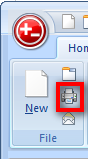 |
Today I am gonna introduce the printing options of DeskCalc. This is the summary of all requests concerning printing of thousands of users working with this software tape calculator on a daily basis. Feel free to contact us, if you still miss something... |
Read more: Printing Desktop Calculator for Windows : Printing Calculator Program